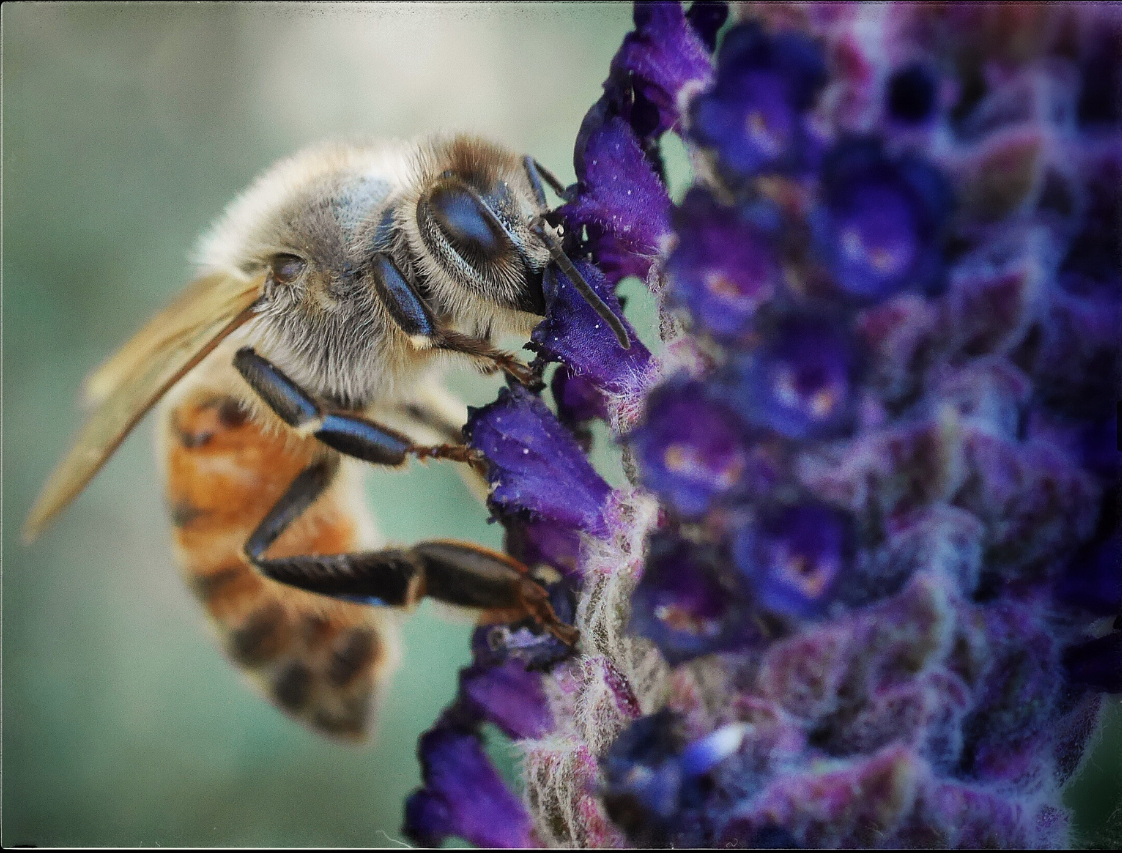
*Time to vote! Vote for the winner of our third monthly Flickr Photo Blog Challenge; Closer.

1. Bee Macro by Art Codron


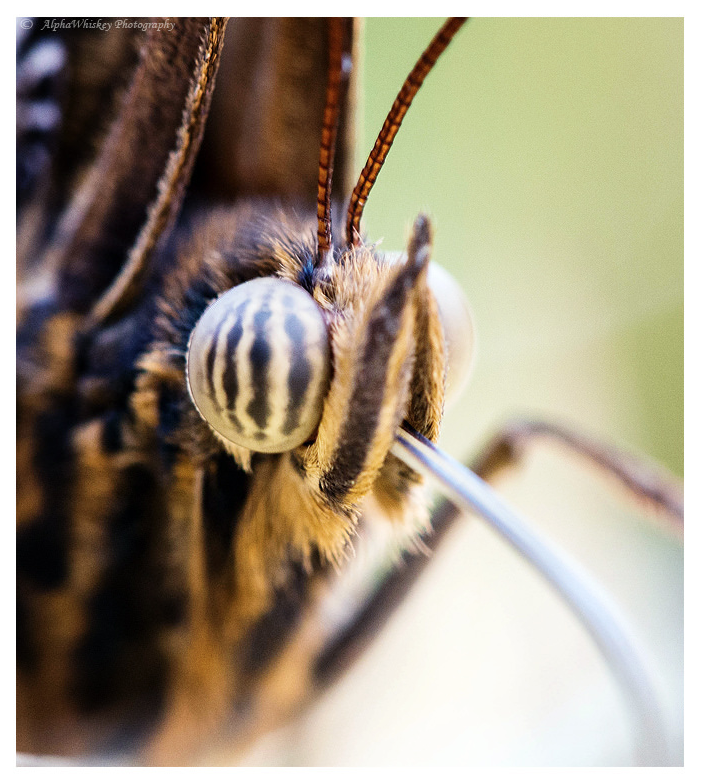
2. A little close… by Alpha Whiskey Photography
3. Almost… by Nuno Quina

Hi All and welcome to our third monthly Flickr Photo Blog Challenge where our winner gets to choose our next theme and also qualifies for our 6 month giveaway where we’ll pit our 6 monthly winners in a vote for the ultimate champion 🙂

Vote below, and visit Heather and Mat over at Mirrorlessons to vote there as well.  Get prepared as we’ll have our winner announce the theme for June’s contest in 5 days and you’ll be able to submit your image to our Flickr group threads HERE on TRP and HERE on Mirrorlessons.

Voting lasts through June 5th and June’s challenge will begin shortly thereafter.  Join up with both groups and submit to both threads and in the mean time let us know who your favorite “Closer” image is:

*TRP Giveaway! Thank you for all the bloglove.


Drawing has happened (see the winners HERE)!  Thanks to everyone, and if you’re interested in purchasing a wrist strap, go HERE.IMG_5723

I wanted to thank you all for the continued support and conversation.  While I will not be retiring off of my blog anytime soon, I have loved building it and watching it grow over the years.  I try to keep any and all commercialization to a bare minimum here as I know how often we’re all bombarded with offers and urges to purchase certain things.  I have chosen to keep this blog as a personal passion project and have slowly and hopefully inoffensively added affiliate links where applicable.

That said, I have been working on a new project (which many of you have probably already figured out) and before I release it to the world to try and make enough money to keep justifying the time spent on the blog, I want to reward three of you with a freebie.  I will be announcing my new hand built camera wrist straps soon and before that, I wanted to give away a wrist strap to three of my readers.

So, here’s the part where you can sign up for the drawing.  You get your name entered in once for each sign up as follows:

Continue reading

*DIY day! Using apps to create textures, plus free texture files.

The title just about says it all.  There are a multitude of free and cheap apps for smart phones nowadays and they can be more useful than just uploading dozens of pictures of your late night goings on directly to facebook.  Read on for downloadable freebies, suggested apps and a little instruction on how to best utilize these tools to come up with fun final images in photoshop…

Continue reading

*Everything you need to know about digital photography (well, almost). Two years of tips, tricks and various freebies, revisited.

With my blog’s second anniversary coming up, I wanted to thank everyone that has stopped by, commented and added to the content.  It’s been a fun couple of years and has been far more educational for me than I’d ever thought it would have been.  I wanted to make a list of my more popular posts as well as some that can help some of us who may be just stumbling into the fold.  Any of us who have recently acquired a new camera and may be wanting to learn how to use it to its potential, or are looking to build up a few post processing techniques, I’ve compiled some of the more useful and popular posts below…

Continue reading

*Share the bokeh, share the love.

While at times my blog has dropped a few pegs in the daily pecking order of demands on my attention and immediacy of my prioritization, it has continued to be a vehicle for networking and international friend making.   The connections and conversations have proven to exceed my expectations and I wanted to take a moment to thank the folks who have helped not only promote my ramblings, but help me grow as a photographer and fledgling digital artist…

Continue reading

*A quick, simple and free Vignette Action

This is a quick and easy action which I use often.  While so many photographers (myself included) spend time and money in software to correct for light falloff, I like to go the other direction and introduce it sometimes.  Of course, there are times and places where a darkened vignette doesn’t make sense, and that time, and cost spent to correct it come into play, but for the times you’d like to delicately direct attention to a specified area, this action can help that happen.  Also, you can completely determine the “shape” of the vignette to suit the frame.  C’mon in and see the difference a vignette can make.

Continue reading

*Free Bleach Bypass photoshop action.

Bleach Bypassed

Bleach Bypass is a fun way to add contrast and moodiness to an image.  Because of the way it renders luminance, it tends to flatter skin tones in that it will push the highlights a bit which, if controlled, can produce nice, smooth skin.

Used in color film processing where the bleach portion was skipped, resulting in the emulsion retaining the silver and color dye in the process, it produces high contrast images with muted colors.  Digitally, it can be reproduced by layering a black and white duplicate over the color image and adjusting the blend mode in photoshop…

Continue reading

*Presets! Less talk, more rock! Or, one easy way to streamline your workflow.

Presets, a key to streamlining your workflow. (*using a New York Times Mag Aperture3 preset by Zurli) - image ©tyson robichaud photography2010

Alright alright now.  No matter what your stance is on post processing, love it, hate it, meh, one thing that is hard to deny is that for the average photographer, digital photography requires a bit more time than shooting film on an image by image basis.  Yes, our feedback with digital is instantaneous, yes we are able to immediately adjust on the fly but one thing that has crept into the equation is the amount of time needed after shooting to upload, catalog, tag, process and archive all of your images (not to mention, many of us tend to take quite a few more images per outing now that we get more than 24 exposures a round).  One helpful tool is the use of presets, or actions.  These are a series of repeatable adjustments and instructions applied to your digital file so that you don’t have to manually adjust each and every one individually.  Read on for links, examples and tons of freebies for APERTURE, LIGHTROOM and PHOTOSHOP presets and actions…

Continue reading

*Shooting Fireworks

balancing the scene's ambient lighting with a long exposure: ISO100-f/11-6seconds

For those of us in the US, it is getting close to the 4th of July holiday and a fun photo opp.  Capturing fireworks can present some fairly unique challenges, but with a game plan, it can be a lot easier than you think…

Continue reading

*Selective Color use in Black and White Photography

One fun, and very easy technique in Photoshop is to use a small point (or points) of color in a black and white image to draw focus to a particular area or provide a particular mood.  It is easy and can provide a bit of intrigue to an image. This is my basic way of achieving this using an image in Photoshop.

Continue reading