How good is your memory? Can you remember the way that the lights reflected off of the wet cobble stone streets? The excitement in your child’s face as they realize that other worlds exist? That questionable meal that forced you to spend the evening exploring the finer points of your hotel room’s bathroom? Well, for many of us, a vacation without our camera is not really a vacation. I’ve had quite a few questions about what to bring, when not to shoot, or how do I choose what to use while traveling…
Author Archives: tyson robichaud photography
*The Eyes Have It.
Eyes are not only a window, but a roadmap. I’ve always felt that I can tell a lot about a person based on the shoes they wear, and the kind of person they are by their eyes. Eyes tell you a story, they paint emotion and can determine the power of a portrait. Of course there are many, many other elements to pay attention to, but a good portrait quite often starts and ends with the eyes. Even in snapshots, making sure everyone’s eyes are at least open is one of the first things you check when glancing on the LCD screen right? Assuming we’ve captured a shot with eyes open wide, getting them to pop can make the difference between a good portrait and a wow shot. Here are a few techniques that I use, and have found from others, that can help make those eyes stand out.
*Lensbaby Scout!
My blog may seem as if I’ve become nothing but a Lensbaby honk of late. Let me say, I’ve been lucky enough to have made friends with the fine folks at Lensbaby. That, and they’re my local, hometown lens manufacturer right here in Portland. I am a softy when it comes to supporting the local folks, so in a word, yes, I like seeing a local, forward thinking optical company do well. They are also very cool people making very unique, affordable optics, and they asked me if I would play around with this new lens. I love all things photography, so I was excited to get my hands on yet another brand new Lensbaby product to play around with. As if the recently released Tilt Transformer wasn’t enough, Lensbaby has developed the Scout to further diversify their optical offerings. More after the jump…
*About a boy, and his Hasselblad.
It’s easy to go through much of life paying attention to the times that one is unlucky, but if we spend all of our energy on ignoring the times we are lucky, it is easy to miss out on a lot of the fun life can provide. I remember hearing about Hasselblads back in the day. I’d never really considered medium format to be something I’d ever realistically get to play around with. My limited expendable income was always directed to other areas. As fortune and luck would have it, the father of a girl that I was dating, was a photographer. Not just a photographer, but a connoisseur of all things photographic. His history with photography was inspiring, his knowledge intriguing, his collection of cameras was a thing of beauty. I knew, I needed to marry this girl.
*Alien Skin Bokeh 2
Bokeh (/bō’kɛ/): In photographic terms, has grown to mean the subjective quality of the out of focus areas in a photograph, and how a particular lens renders out of focus points of light (adopted from the Japanese term boke 暈け, meaning fuzzy, disoriented, et al). Pronounced BO (as the bo in bone) and KE (as the ke in ken) if we are taking it directly from the Japanese word, while the “h” was added to help non Japanese speaking photographers pronounce this adopted term (see the wikipedia article for the history on the term and idea in photographic application). While the definition, pronunciation and it’s subjective nuances are often debated as to it’s application in the photographic realm, it hasn’t stopped Alien Skin from creating a plugin that beautifully applies an out of focus blur to selected areas of an otherwise focused image. With their second release, Bokeh 2 has added new bells and whistles as well as a more refined control of both radial and planar regions within an image and it’s area of focus. Read on for examples and why I think this is a wonderful deal of a plugin.
*Micro 4/3 and Sony NEX Lensbaby Tilt Transformer is HERE!
As announcement after announcement come in, excitement in the photographic industry rarely hits the pitch that it does when Photokina rolls around. Lensbaby has used this stage to announce their first micro 4/3 and Sony NEX dedicated offerings in the form of a combined Tilt Transformer and Composer for each of the subsequent mounts. Being that I do not have, nor have access to a NEX 3 or 5, I’ll be writing about my experience with the micro 4/3 mount Lensbaby Tilt Transformer/Composer combo. Combining the optical playground that is the Lensbaby Composer with the ability to replace the composer element and mount any Nikon F mount lens to gain a multitude of tilt-able options is just what we’ve needed to see in a micro 4/3 mount, a versatile, affordable, different and really, really fun option. Read on for a few test shots and examples…
*Sarah and John are now officially hitched (and we’ve got the pictures to prove it)
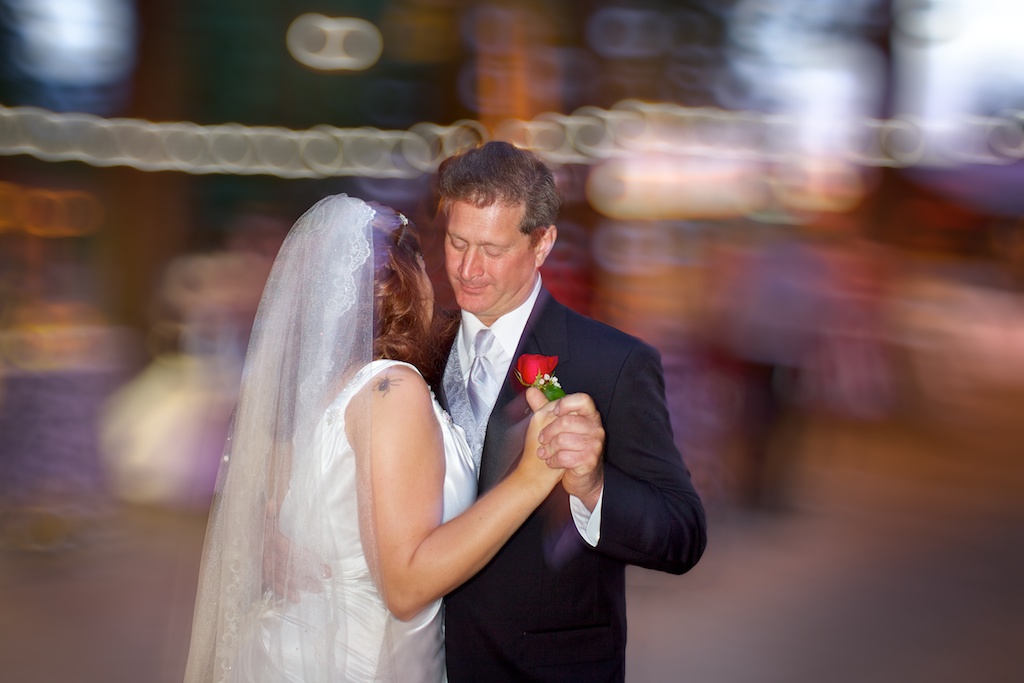
Firstly, to my friends Sarah and John, congratulations! I’ve spent the last two weeks staring at you guys in digital form getting to relive your wedding day and the only regret I have is that I wasn’t able to drink and celebrate more, alongside you guys. I am really excited with the images that Shelby, Rachael and I were able to get and hope that you guys enjoy them. Read on for a link to the gallery and in the mean time, here are a few in slideshow form…
*Photovision DVD Seminar Discount!
*A BRIEF BREAK FROM OUR REGULARLY SCHEDULED PROGRAMING*
Here is a substantial discount for the Photovision DVD seminar series if you’re interested.
I have personally subscribed to the Photovision series for 2010 and can say, it has provided me with some remarkably useful insight to the industry. From interviews surrounding marketing and networking your photographic business, to a ton of “how to’s” regarding anything from wedding shooting to studio work, child portraits to location lighting.
For anyone interested, I’ve been given a discount code to offer anyone who is interested (from the list price of $149 down to $39) you get 6 DVD’s with about 2 hours of material on each. I won’t lie, I get a free subscription if 3 people use my link and code to sign up and I’m sure you would qualify for the same deal next year. If you are interested, I would greatly appreciate using my link and code, but I won’t feel bad if you don’t 🙂 Have a look, it may be of interest.
Use this link: http://fansof.photovisionvideo.com/Tyson/050081
And use the code: “PVFAN” to get the deal for $39.
Regardless if I get three folks to sign up or not, I will be renewing as I feel it does offer a great amount of insight into the way other working pros approach their work, plus I’ve learned some cool tricks too.
Thanks all!
Tyson
*Mirrorless Mania! Which camera should I get?
I have been receiving quite a few emails lately asking which mirrorless interchangeable lens compact cameras I would suggest, so I figured I would give a quick rundown on who I feel would benefit from each of the current stock out there and which I feel are the “best” choices.
*Presets! Less talk, more rock! Or, one easy way to streamline your workflow.

Presets, a key to streamlining your workflow. (*using a New York Times Mag Aperture3 preset by Zurli) - image ©tyson robichaud photography2010
Alright alright now. No matter what your stance is on post processing, love it, hate it, meh, one thing that is hard to deny is that for the average photographer, digital photography requires a bit more time than shooting film on an image by image basis. Yes, our feedback with digital is instantaneous, yes we are able to immediately adjust on the fly but one thing that has crept into the equation is the amount of time needed after shooting to upload, catalog, tag, process and archive all of your images (not to mention, many of us tend to take quite a few more images per outing now that we get more than 24 exposures a round). One helpful tool is the use of presets, or actions. These are a series of repeatable adjustments and instructions applied to your digital file so that you don’t have to manually adjust each and every one individually. Read on for links, examples and tons of freebies for APERTURE, LIGHTROOM and PHOTOSHOP presets and actions…