*Brand New Topaz Clarity Announced, discounted until the end of the month!

IMG_6634

Just announced, and available HERE, (use code “claritynew” for a 40% discount!) Topaz Clarity is a new plugin that helps further define detail in your images. I’ve been playing around with the Beta version for a while and just got my hands on the full plugin last night. I can say that it is going to become part of my workflow, especially for landscape and interior work. Read on for examples and more details on this new, cool, affordable plugin…

Continue reading

*Moving upward and onward!

backyard shenanigans

don’t worry, there were no kids harmed during the photoshopping of this image.

Hello everyone!  You may have noticed that I’m quietly adding content to the site.  This is being done to try and make a more complete resource for those visiting the site to reference specific tutorial articles or find gear reviews, etc.  The biggest changes are the new “Tutorial” “Review” and “MyGear” pages up at the top of the page.  I will be trying to catalog the more popular tutorials and reviews for easy reference, and the new gear page has allowed me to link certain cameras, lenses and miscellaneous gear that I use to my affiliate links at B&H.  Yup, you read that right.  I’ve finally succumbed to the monetary necessity of trying to make a little coin to keep the site going.  Read on for my reasoning and ever cheesy gratitude…

Continue reading

*Topaz Labs and 500px team up and offer discounts

topaz

Any of you who have read my blog somewhat regularly know that I love and use Topaz plugins.  Topaz Labs offerings are realistically priced, and offer unique, quality plugins.  They now have a program set up through the end of March which offers 25% off any Topaz plugin or bundle and a 3 month gift code for 500px as well as a 10% discount for current Topaz users for upgrades to a 500px “Awesome” subscription (normally $50/year) which allows users to host and sell their images through their own, modified online portfolio and store hosted by 500px.  You can see all the Topaz plugins on offer by heading over the the Topazlabs.com website (click here) USE COUPON CODE “500px” at checkout to get the 25% discount and 3 month 500px gift account.  For existing Topaz users looking to upgrade their free 500px account to an Awesome account, use code 10AWTL at 500px.com upgrade page HERE.  For those not familiar with 500px, it is a very high quality photo community that enables members to share, and sell images through their own, user modified galleries and portfolio pages.  I’ve used the upgrade discount myself from my free account, and have spent a little time now getting to know the ins and outs and it looks promising 🙂

Here are a couple past articles outlining and reviewing my favorite Topaz Plugins:

Topaz DeNoise

Topaz B&W Effects

Topaz Clean

Using Topaz Clean3 as a Fractalius like plugin for Mac users

Happy shooting,

Tyson

*Share the love, Alien Skin plugins 30% off!

share-the-love


For the next week, Alien Skin is offering 30% off of all their wonderful plugins.  I use and love Exposure 4, Snap Art and Bokeh 2 personally and feel that Alien Skin does a wonderful job at providing a really solid product for the money.  You can download free trials of any of their plugins before buying if interested by going here Alienskin.com!  While you’re there, download their free iPhone app Alt Photo, it’s radical.


You can read more about my personal take on some of their plugins below:

Alien Skin Exposure 4, it just keeps getting better!

Alien Skin Bokeh 2!

Alien Skin Snap Art, release your inner artist!


They’ve also just released Eye Candy 7, which is a plugin that is gaining fanfare for graphic designers.  Unfortunately, I’m not a good person to ask about it, but it does seem to be getting a lot of praise, so it may be worth a trial for those interested in that type of stuff.


Happy Valentines Day to all, and I hope all is well for everyone.


Cheers,

Tyson

*50% off All Topaz Plugins!

From right now through November 26th, all Topaz plugins are 50% off!!!  Kind of insane actually seeing that so many of them are already so realistically priced.

Click HERE to see the Plugins that Topaz offers (listed at full price) and enter the code “CyberSavings” at checkout to cut the price in half!

Here are some of the plugins that I’ve reviewed:

Topaz DeNoise5 (a killer noise reduction plugin)

Black and White Effects (very budget friendly B&W processing)

Clean (edge detail and skin softening plugin) which also doubles as a Fractalius like plugin for Mac!

I also love Adjust and would highly suggest any (or all) the Topaz plugins, especially at 50% off!!!

Cheers,

Tyson

*FotoMagico4, slick slideshows made easy.

I was asked to review FotoMagico4 recently.  Knowing nothing about the software, I found it an interesting task when I read up on what FotoMagico was.  Being a parent to two young kids, I’m always looking for fun ways to document our events or outings for family and the sake of familial posterity.  Being a photographer, I’m always on the lookout for ways to present a streamlined visual product.  Coming at it from either of my personal directions, FotoMagico seems to tick all the boxes.  Learning a software program from the ground up can be daunting, so I put my head down and got to work learning this new version from Boinx Software.  Luckily, it proved to be pretty intuitive once I got going.  Read on for my experiences and opinions…

Continue reading

*Topaz DeNoise 5, like a fine wine.

***UPDATE See the new Topaz DeNoise 6 reviewed and compared to DeNoise 5 HERE***

Smooth, yet refined with an impeccable attention to detail.

Noise has become less and less an issue for digital photographers over the last few years as sensor technology gets better, in camera processing is capable of shouldering more of that load than ever before and digital asset management software/RAW converters are up to the task for much of the noise reduction needs.  Still, with analog to digital information translation, there is an inherent signal:noise issue that can always be further helped by a good noise reduction software.  Add to that, pro-sumer 35mm format models breaching the Medium Format pixel counts, or compact sensors pushing the pixel pitch to near immeasurable dimensions, there is, and will be a need for a manual noise reduction control through post processing.  While Lightroom and Aperture have good noise reduction algorithms, they are the swiss army knife of image processing, giving you many handy tools, but what happens when you need a power tool?  That little Swiss army knife’s mini-saw ain’t gonna cut through that noise riddled log for you, you’ll need a chainsaw.   Enter, Topaz DeNoise5, your powerful, noise reducing chainsaw.  You can download a free trial, or purchase DeNoise.  If interested click HERE to go to Topazlabs.com.  I’ve used Noise Ninja and Nik Define in the past, and I think both of those have just been pushed out of my workflow.  Read on for examples and my take…

Continue reading

*All Alien Skin Software 30% off through September 25th!

If you’ve been on the fence about any of the Alien Skin plugins, now might be a great time to pull the trigger.  Of course, they offer all of their plugins as full featured, free trials to try before you buy.  You have about a week, get at it!

I’m a big fan, if you’d like to read my reviews on some of their plugins that I use and suggest, hit the links below:

Exposure 4 (tons of wonderful color and b/w film filters, a personal fave)

Snap Art 3 (instantly turn images into paintings)

Bokeh 2 (replicate the bokeh from high end lenses, or just have fun obliterating the background)

You can purchase any of the plugins, or bundles directly from Alienskin.com

I know this seems a bit like a sale’s pitch, and something I try not to do with the blog, but I love these plugins, the company they come from and both Jeff and Jimmy are really cool guys, so support ’em if you can.

Cheers,

Tyson

*Kevin Kubota’s Lighting Notebook, along for the ride.

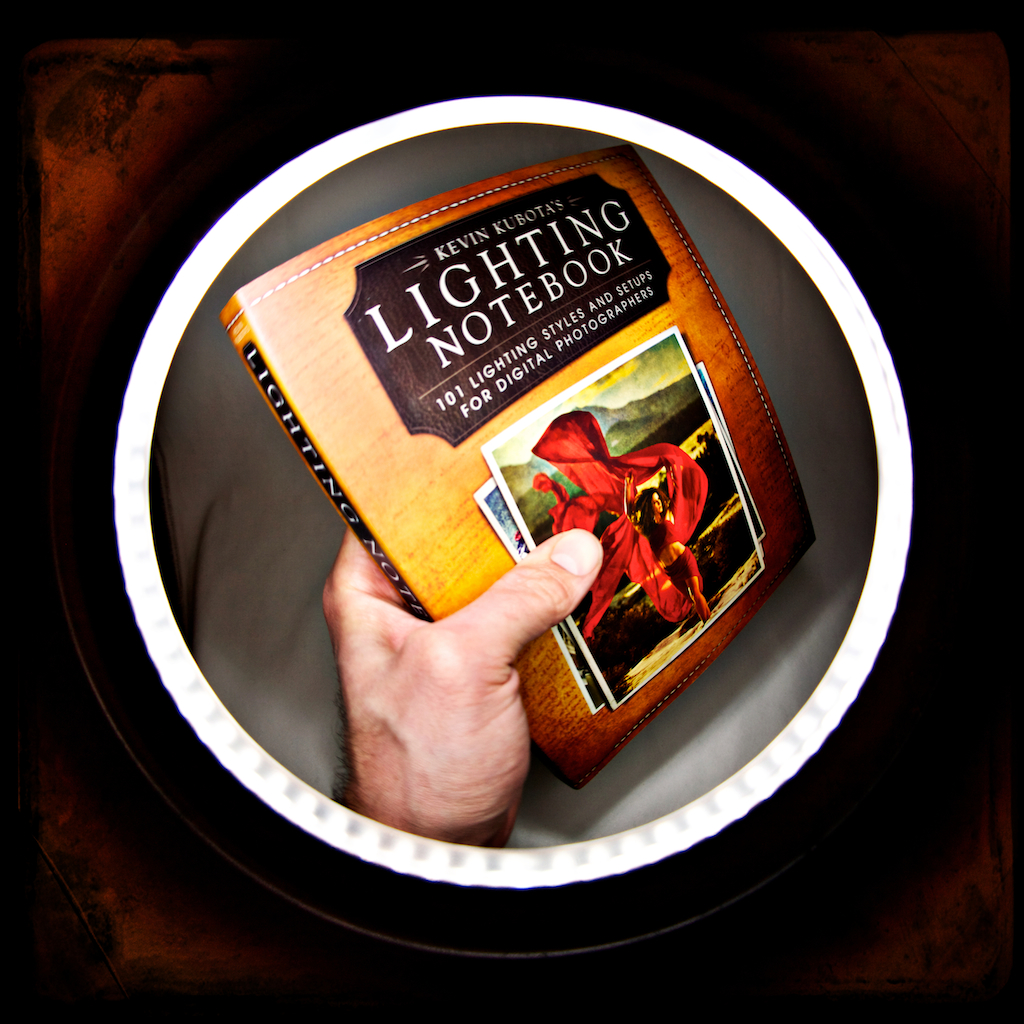
There are a few seemingly predictable benchmarks that photographers reach during their personal photographic journeys. After grasping exposure basics we may gravitate toward gear to replicate a particular style which may then be further embellished when we discover bokeh, selective focus, light painting, or start to really understand aspects of a post processing workflow enabling us to literally develop our own look, or replicate popular or interesting “looks” from our fellow photographers. Inevitably, at some point, photographers start to contemplate integrating added light or modifying and controlling existing light in their compositions. Wether that be for portraiture, action, event, product photography, et al, understanding the use of added light or manipulation and control of existing light is a huge tool available to those who choose to use it. Mr Kubota, popular for his seamless, post production streamlining photoshop actions has invited us into his mind with his recent book “Kevin Kubota’s Lighting Notebook, 101 Lighting Styles and Setups for Digital Photographers” C’mon in for a closer look and a few thoughts as I try to play the role of book reviewer 🙂

UPDATE!!! – The companion App is now out.  More than a companion per se, I’d say it’s a great way to get this book, it’s content and diagrams on your tablet.  You can view both the book and app, as well as purchase them directly through Kubota Imaging Tools HERE.

Continue reading

*Exposure 4, it just keeps getting better.

I’ve been a huge fan of Alien Skin’s software for years now so I’m sure it’s no surprise that I’m excited by their recent update to an already killer plugin.  Exposure 4 keeps the functional structure in tact and further enhances its skill set to fine tune it into a plugin that will help any photographer, or digital artist further realize their final vision.

Read on for my experience through this exciting new release…

Continue reading