*Free Photoshop Contrast Pop Action!

My lovely friend Kira plays the good sport.

Here is a brief tutorial on how to add a contrasty “look” to just about any picture.  There are sites out there to purchase many of these types of actions, and some of them are well worth the price, but I’ve found that through my years, many other photographers have offered up free advice as I was learning to scrape the surface of Photoshop, which enabled me to gain a deeper understanding of my post processing.  So, in this tradition, I shall try to pay back a bit of that help by offering up this little trick.  I know that many photographers would rather spend their free time taking pictures, not in front of a computer processing them.  I myself find enjoyment on both sides of this coin, but I sure don’t mind being able to quickly automate some of my more “used” techniques.  This is one of them…

Continue reading

*A thank you to many, or, why I think the internet is cool.

I do feel that you are neat. If you are reading this, it is meant for you.

First, thank you.  To those of you who’ve been visiting, reading and commenting and those who have been linking me to their blogs, articles, allowing me to guest blog for you, re-posting my blog posts, and generally helping each other out, thank you.  If you are here, reading this, I mean you.

The internet is an amazing tool for information gathering.  Sometimes that information can be challenged and in some cases, just downright wrong, but the fact that it is a tool that enables all of us to provide the dialogue, has gone a long way in helping me in a variety of ways.  I wanted to take the opportunity to thank a few of the folks who’ve helped my blog gain a little exposure and hope to be able to turn a few of my new friends onto their sites as well.  Many of the links below may be well known to many of us, others perhaps not, but regardless, I find a lot of value in these sites and hope that others may as well if you don’t already…

Continue reading

*Floating in Photoshop! How to levitate in a photo.

*Wanted to thank everyone who has stopped by to read this post over the last few years. I’ve received quite a few emails and seen links back to this article from many different forums based in many different countries. Thank you! As originally mentioned in the tutorial below, this isn’t a particularly original tactic, but if you put your own spin on it, it can produce some really cool imagery. Okay, on to my original posting, and thank you again for everyone who has stopped by. I’ve been really excited to converse, learn and meet with many of you since I started this blog over three years ago!

Enjoy,

Tyson

This is not an original idea, but so few ideas are anymore. While it may be a well used tactic, it can be very effective. I’ve played around with this technique a few times and it is one that when done decently will almost always get a “wow!” or at least a “huh, wait, what?” It is easy to do as well. It requires Photoshop, or if you are fundamentally against paying $600 for software you can download GIMP. I’ve used Photoshop for this one, so if using GIMP, you will need to translate these steps into GIMP-speak which shouldn’t be too hard.

Okay, our goal is to appear to be floating, or hovering so unless you’re an accomplished zen levitation master, you will need to take two pictures to create the illusion.

Continue reading

*High Dynamic Range with Photomatix

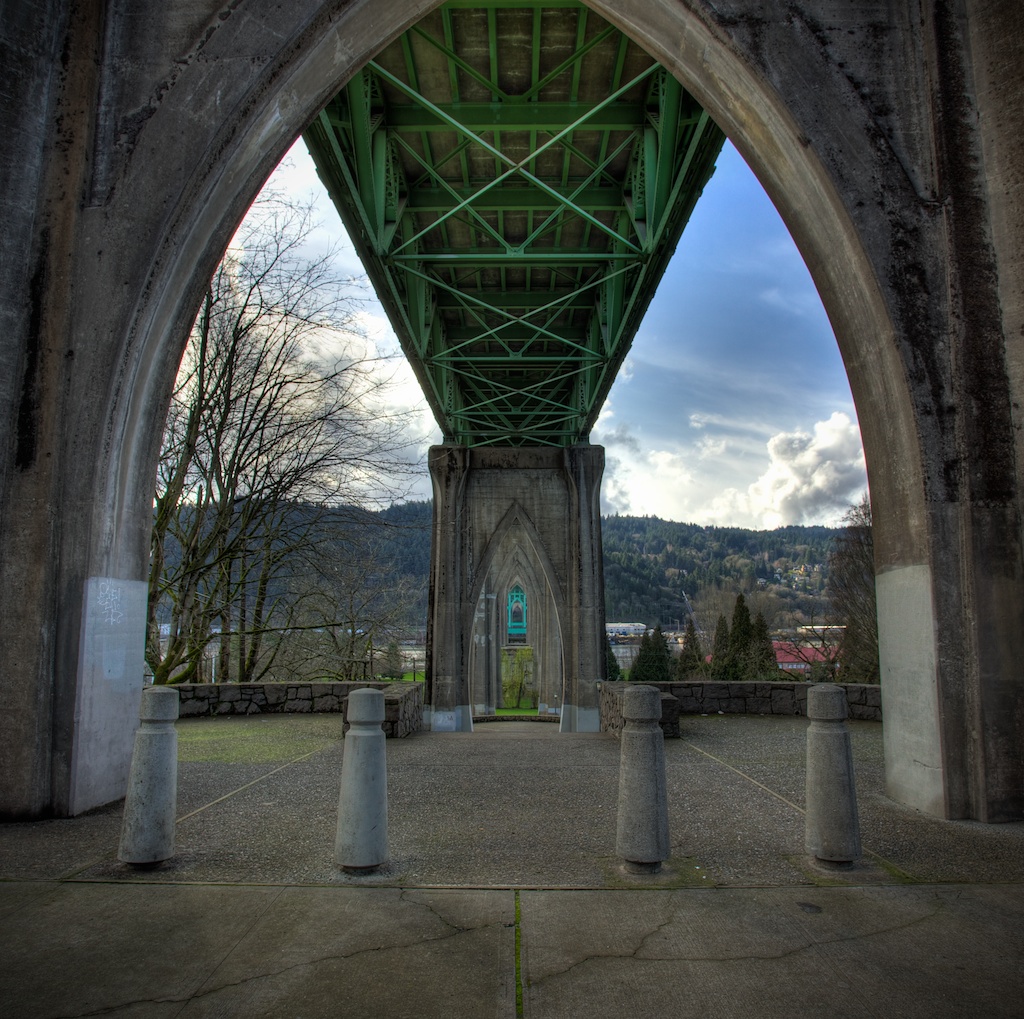
Under the bridge, completely enveloped in shadow...

Are you ever frustrated by scenes that are too dynamically diverse having to lose your highlight and shadow info to expose for the midtone ultimately losing the shadows to dark noisy areas and blowing out your highlights resulting in detail-less white blotches?  I think that I can help.  This isn’t the only HDR or Photomatix tutorial on the web, but you’re here, and it’s free.  Regardless of how you feel about some of the HDR imagery that can bombard the senses, combined with the proper capture technique HDR software can help achieve, photographically ,the dynamic range that the human eye is capable of seeing.  By using this method of combining bracketed exposures, you can save yourself hours of dodging and burning, masking and aligning in Photoshop, with simple HDR software, or you can create your own fantasy cartoonish grunge-scape if that’s what you’re after.  I will walk you through step by step instructions regarding the proper capture and postprocessing  techniques using the popular HDR software, Photomatix from HDRsoft.  I also have a discount code to offer you 15% off (TRP15) if you choose to purchase the software.  To follow along, Photomatix is available as a non-expiring full free download (it will just watermark your images) to use and feel out the benefits to this very popular tool in digital photography.   Read on for links, techniques and a software discount…

Continue reading