Here is a brief tutorial on how to add a contrasty “look” to just about any picture. There are sites out there to purchase many of these types of actions, and some of them are well worth the price, but I’ve found that through my years, many other photographers have offered up free advice as I was learning to scrape the surface of Photoshop, which enabled me to gain a deeper understanding of my post processing. So, in this tradition, I shall try to pay back a bit of that help by offering up this little trick. I know that many photographers would rather spend their free time taking pictures, not in front of a computer processing them. I myself find enjoyment on both sides of this coin, but I sure don’t mind being able to quickly automate some of my more “used” techniques. This is one of them…
Category Archives: Postprocessing techniques
Tutorials and insight into different post processing techniques.
*The 5 minute Greenberg Treatment.
For those who do not know, Jill Greenberg is a famous photographer to the stars. Some of her work has received, uh, criticism, for her use of light or tactics to achieve certain reactions with, or effects on her subjects (see the crying babies in her ‘End Times‘ series, or the now famous John McCain shoot). I call it art, but I do fall on the crass, perhaps cynical side of the human spectrum. Regardless of your personal feelings toward her, the lighting she uses is dramatic. Her style has been duplicated by many a strobist and comes about by a pretty easy to replicate setup. Now, to do it well, is a bit trickier but we gotta start somewhere right? Read on for a quick light set-up and easy to follow post processing technique. Continue reading
*Floating in Photoshop! How to levitate in a photo.
*Wanted to thank everyone who has stopped by to read this post over the last few years. I’ve received quite a few emails and seen links back to this article from many different forums based in many different countries. Thank you! As originally mentioned in the tutorial below, this isn’t a particularly original tactic, but if you put your own spin on it, it can produce some really cool imagery. Okay, on to my original posting, and thank you again for everyone who has stopped by. I’ve been really excited to converse, learn and meet with many of you since I started this blog over three years ago!
Enjoy,
Tyson
This is not an original idea, but so few ideas are anymore. While it may be a well used tactic, it can be very effective. I’ve played around with this technique a few times and it is one that when done decently will almost always get a “wow!” or at least a “huh, wait, what?” It is easy to do as well. It requires Photoshop, or if you are fundamentally against paying $600 for software you can download GIMP. I’ve used Photoshop for this one, so if using GIMP, you will need to translate these steps into GIMP-speak which shouldn’t be too hard.
Okay, our goal is to appear to be floating, or hovering so unless you’re an accomplished zen levitation master, you will need to take two pictures to create the illusion.
*High Dynamic Range with Photomatix
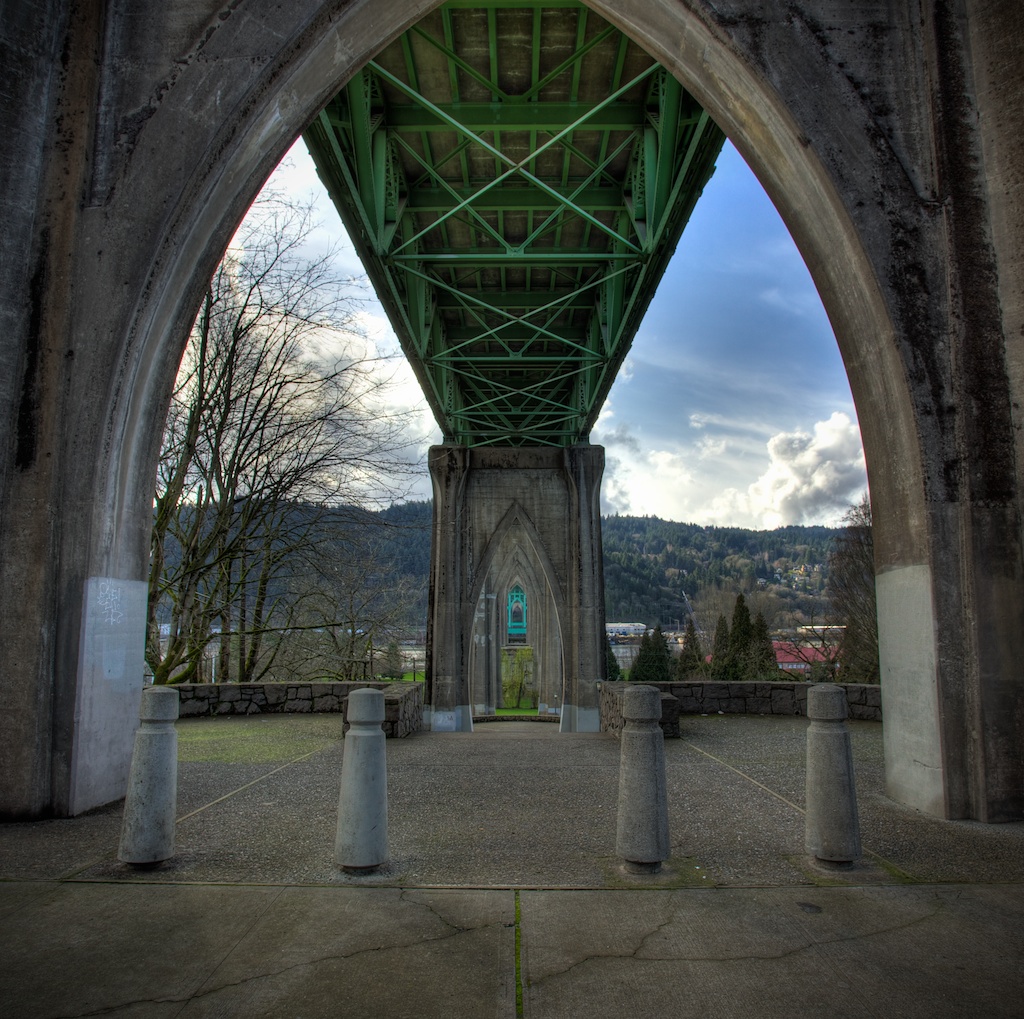
Are you ever frustrated by scenes that are too dynamically diverse having to lose your highlight and shadow info to expose for the midtone ultimately losing the shadows to dark noisy areas and blowing out your highlights resulting in detail-less white blotches? I think that I can help. This isn’t the only HDR or Photomatix tutorial on the web, but you’re here, and it’s free. Regardless of how you feel about some of the HDR imagery that can bombard the senses, combined with the proper capture technique HDR software can help achieve, photographically ,the dynamic range that the human eye is capable of seeing. By using this method of combining bracketed exposures, you can save yourself hours of dodging and burning, masking and aligning in Photoshop, with simple HDR software, or you can create your own fantasy cartoonish grunge-scape if that’s what you’re after. I will walk you through step by step instructions regarding the proper capture and postprocessing techniques using the popular HDR software, Photomatix from HDRsoft. I also have a discount code to offer you 15% off (TRP15) if you choose to purchase the software. To follow along, Photomatix is available as a non-expiring full free download (it will just watermark your images) to use and feel out the benefits to this very popular tool in digital photography. Read on for links, techniques and a software discount…
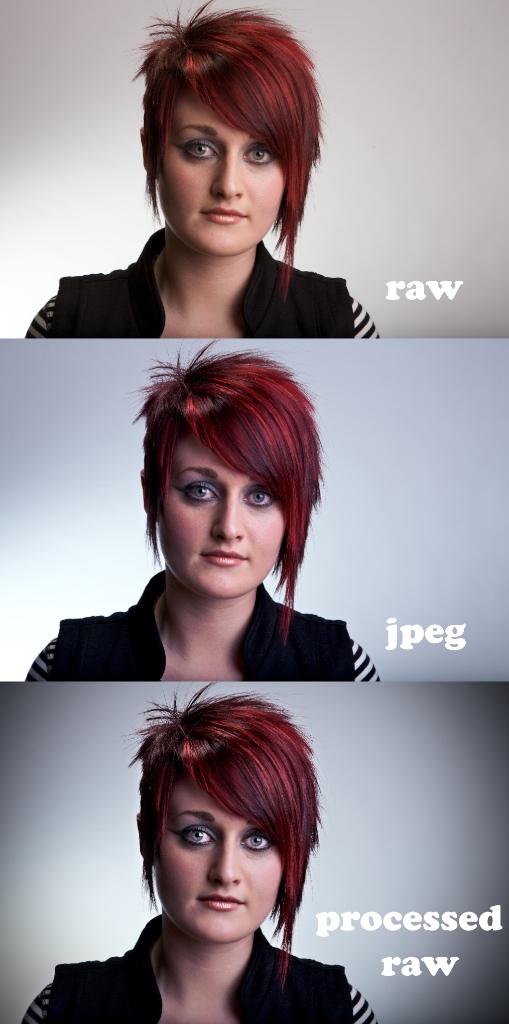
*RAW vs. JPEG
Which file format should you shoot in, when and why? Now that most photography is being captured in a digital format, we have so many more choices when it comes to processing our image files. Granted, the amount of time you spend in front of a computer may be directly taking away time from behind the lens, but the question remains, do you prefer being an chef, or would you rather have someone else cook your images for you? Continue reading